
What the Powerpack clipboard covers
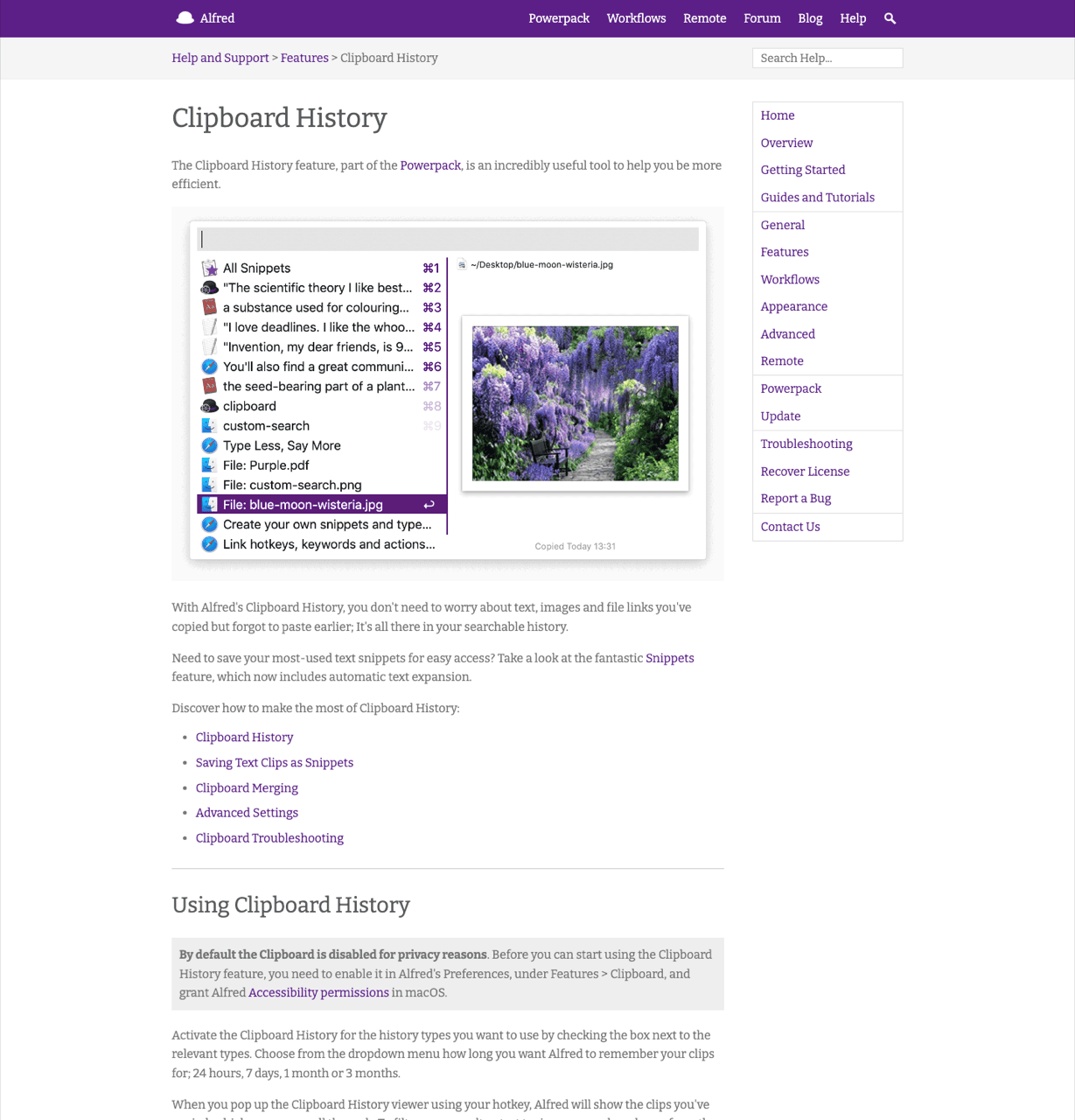
Clipboard History does nothing until you switch it on. Alfred's docs are blunt: the clipboard is disabled by default for privacy reasons. Enable it under Preferences → Features → Clipboard and grant macOS Accessibility permission. Per-type checkboxes decide what gets recorded, and a maximum clip size keeps a giant paste out of the database.
Three keystrokes do most of the work. ⌥⌘C opens the viewer, and typing filters on any word from the clip. Holding Cmd and tapping C twice merges copies into one clip. ⌘S promotes a clip into Alfred's snippet engine. Storage is local, and no licence adds clipboard sync.
Two clipboard managers can record the same copies without fighting. What changes is where you look first.
Once one app holds the long history, the other only needs a day of retention, which keeps the same sensitive clips out of two databases.
The parts Alfred does better
Password-manager exclusions are on by default. Alfred ignores Keychain Access, 1Password and similar apps, anything marked concealed, and your own ignore list. Klipto has the same kind of setting in Settings → General, and ours ships off. Switch it on after install. Alfred wins this comparison outright and I will not dress that up.
Clip merging has no Klipto equivalent. ⌘C C concatenating several copies into one clip is useful, and we do not have it.
Snippet expansion is a separate product inside Alfred. ⌘S moves a clip into keyword-triggered text expansion, with collections and {date}, {time} and {clipboard} placeholders. Klipto has snippets and folders, no expansion engine.
One licence buys a whole platform. The launcher, file navigation, Universal Actions, the calculator, a huge workflow gallery, and preferences that sync between your Macs. No single-purpose app competes with that per pound.
| Alfred Clipboard History | Klipto | |
|---|---|---|
| What it is | one feature inside a launcher platform | dedicated clipboard layer, menu bar only |
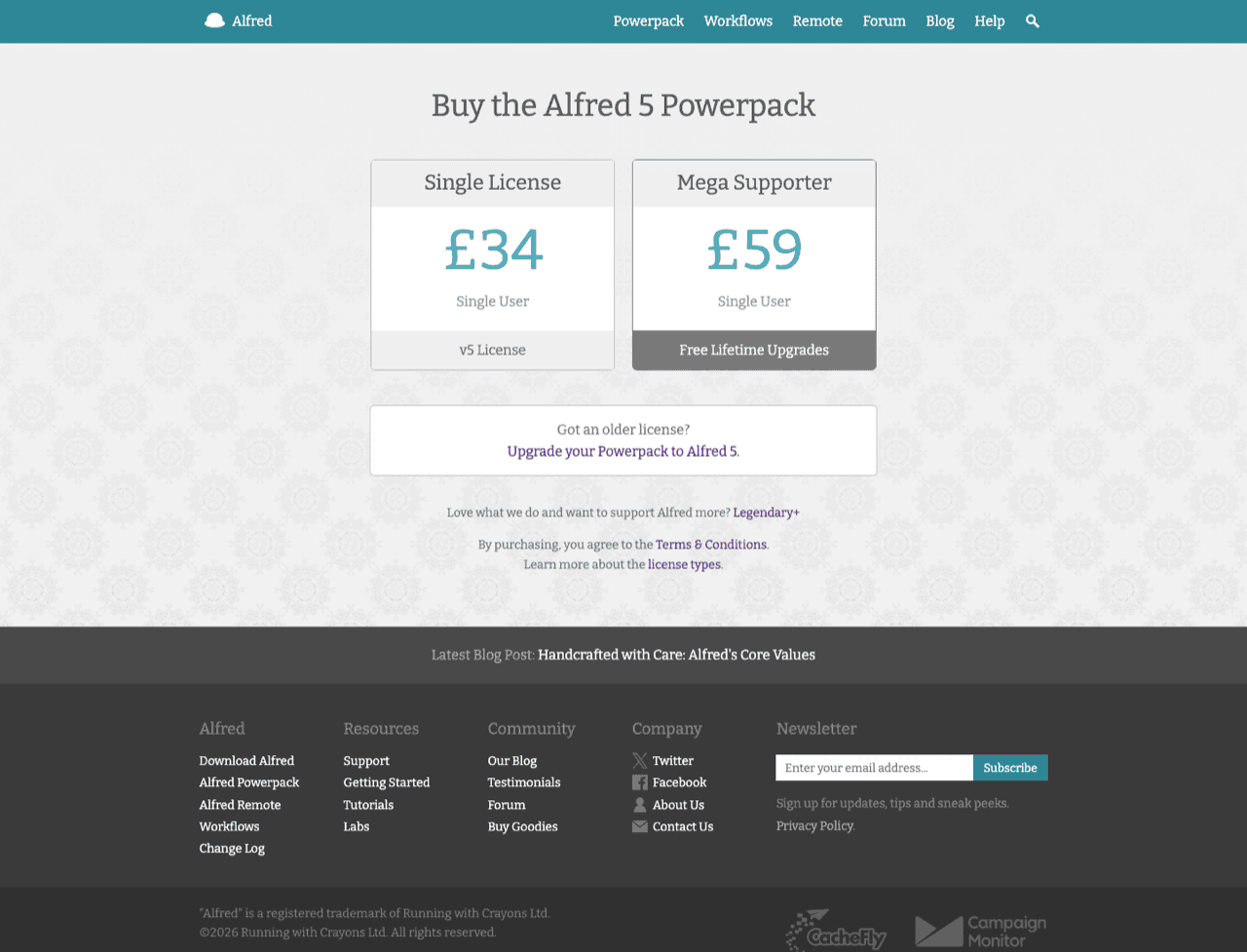
| Cost | Powerpack £34 single user, £59 Mega Supporter, no free tier | permanent free tier; $19.99 one-time |
| Default state | off, for privacy | on after install |
| History length | 24 hours / 7 days / 1 month / 3 months maximum | unlimited, local |
| Stores | text, images, file links | text, rich text, images, files, folders, 22 detected types |
| Search inside screenshots | images stored, not searchable | built in, on-device OCR |
| Paste several in order | no native queue | the Stack, with an after-paste keystroke |
| Pin a clip | not built in | Favorites and snippet folders |
| Merge clips into one | ⌘C C, yes | not built in |
| Transforms on paste | build a Workflow | 20+ across case, cleanup, colour, JSON, JWT, Base64 |
| Snippets | yes, plus keyword expansion and placeholders | snippets and folders, no expansion |
| Password-manager exclusions | yes, on by default | setting in Settings → General, off by default |
| Sync across Macs | preferences and workflows sync; clipboard stays local | none, local only |
| Also a launcher | yes | no |
Where Alfred's clipboard stops
Three months is the maximum
The strongest evidence is Alfred's own. Running with Crayons publishes an official Clipboard History Extender workflow whose job is building an ever-expanding copy of your clipboard history through a launchd agent. A vendor writing an archiver for its own feature settles the question about the cap.
The dropdown reads 24 hours, 7 days, 1 month or 3 months. That is the entire list, on every licence. One correction while we are here: tech-insider.org tells readers Alfred offers unlimited retention as an option. Alfred's own dropdown contradicts it.
Klipto's shape differs. History that does not expire, stored locally, with your own caps if you want them, and no launchd agent to keep alive.
Images go in and stay unfindable
Alfred records images. Searching them is the part that stops. The developer of the alfred-clipboard-ocr workflow says it plainly in the README: the history includes images, and there is no way to search through them. A screenshot of an error is findable only by scrolling back to roughly when you took it. Klipto runs OCR on device and folds the words into ordinary search.
No paste queue, no pinning
Copy five values, then paste them into five fields in order. Alfred has no native mechanism for that. The merge does a different job, making one blob instead of a queue. Pinning a clip so it outlives the retention timer is absent too. The community built both, PasteFlow and StitchClip, which is fair evidence of the gap.
Klipto's Stack collects items as you copy, then pastes them one at a time in order. An optional keystroke fires after each paste, Tab, Enter, an arrow or Esc, so the cursor lands in the next field. Items also drag out of the Stack into Figma or Finder.
What you copied is what you paste
Alfred's viewer applies no text transforms. Case conversion, JSON formatting, colour conversion, stripping em dashes and curly quotes out of generated text: each one means building or installing a Workflow, and the official Extender adds none of them.
Klipto detects 22 content types and offers only the actions that fit. Eleven case styles. A cleanup stack covering plain text, one-line, dedupe, sort and invisible characters, plus Anti-LLM cleanup for AI drafts. Colour across 10 formats, JSON pretty-print, minify, Base64 and JWT decode, card masking, and a character, word, line and token counter. It all runs on ⌘V, offline, in every app. Alfred's paste-as-plain-text hotkey covers one slice, and pasting without formatting is the first of Klipto's twenty. The browser version is free to try.
Add-on arithmetic is the honest answer to "can Alfred do this?". Yes, with three community workflows, Tesseract installed, and a launchd agent, each maintained by a different person on a different schedule.
Alfred names the edge cases itself. Java apps and virtual machines are unsupported. macOS sometimes forgets the Accessibility permission and recording stops quietly. Documenting that is a point in Alfred's favour.
Running both without a hotkey fight
⌥⌘C overlaps. Alfred's clipboard viewer defaults to it, and so does Klipto's save-to-favourites chord. One of them needs rebinding. Which app wins the collision is not something I would guess at. Pick a side and change it first. Klipto's other defaults stay clear of Alfred: ⌥⌘V for the hold-to-paste popup, ⌥⌘S for the Stack, ⌃⌘C to collect the selection, ⌃⌘V to paste the next Stack item. Nothing touches ⌘Space.
The division of labour is clean. Alfred keeps launching, workflows, file actions, snippet expansion and the merge. Klipto owns history that does not expire, screenshot search, ordered multi-paste and transforms on paste.
You do not need Klipto if
- three months of history covers how far back you look.
- you copy plain text almost exclusively.
- Alfred's snippets already handle the boilerplate you reuse.
- you would rather run one app than two, and ⌥⌘C is muscle memory.
Then keep the Powerpack and spend nothing. Alfred's clipboard is fast, private by default and well documented. Still shopping? Read the full field of Mac clipboard managers first.
The second app earns its place when your history runs into years. Or when you need screenshots findable by their contents, refill the same forms daily, or paste AI output and want it clean on ⌘V.
Klipto is not a launcher. No app launching, no file navigation, no workflow platform, no calculator. No expansion engine either, so keyword triggers and {date} placeholders stay Alfred's job. No clip merging, and no sync while local-first is the point. One licence covers all your Macs with no device count.