
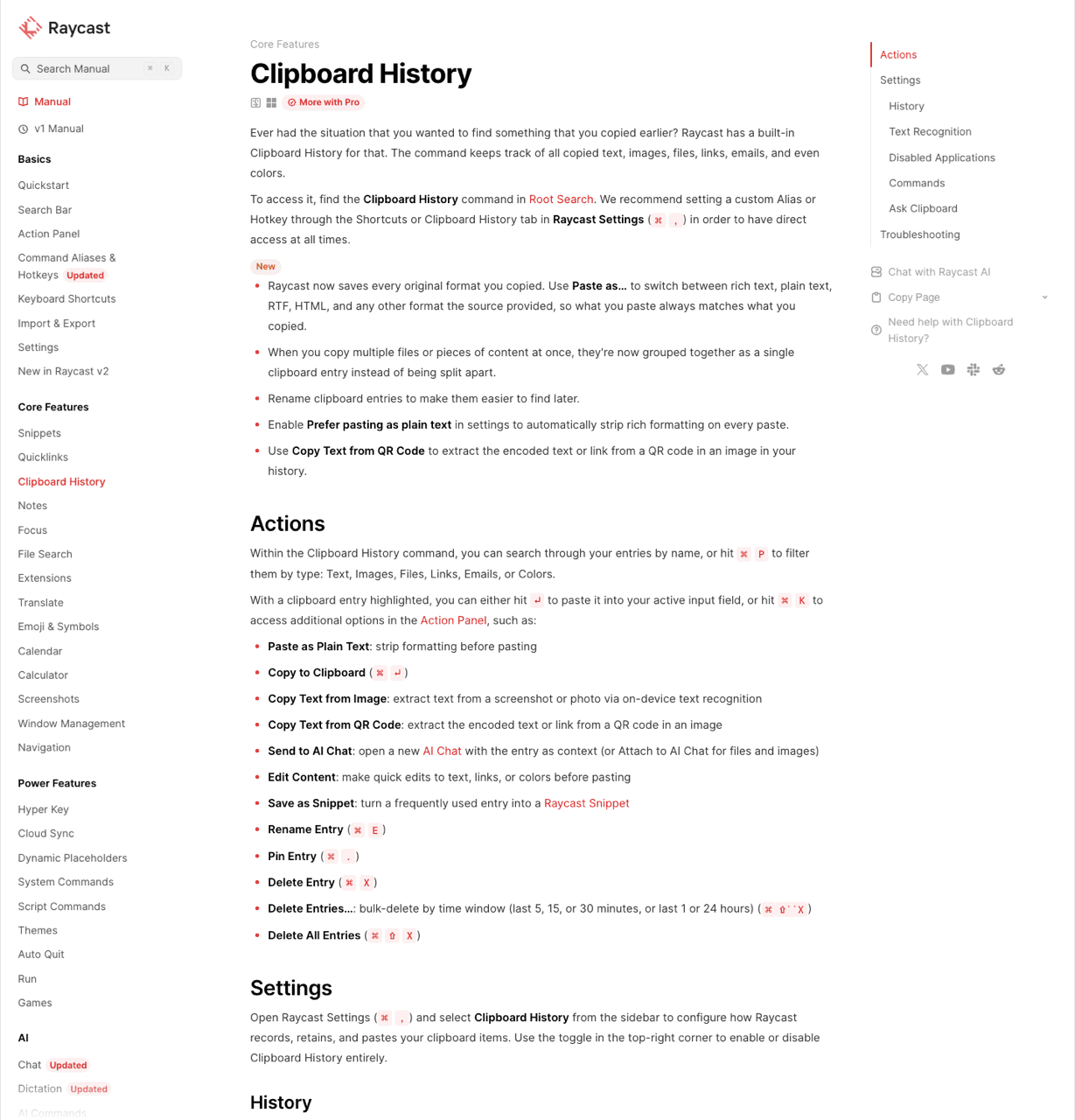
What the command actually does
Clipboard History ships built in. Give it a hotkey in Settings under Extensions, or pay a launcher round trip every time. Most walkthroughs land on ⌥V or ⌘⇧V, and neither collides with ⌘V.
Content: text, images, files, links, emails and colours, each with a preview. One behaviour catches people out. Several items copied at the same moment become a single entry instead of separate rows.
Search and actions: typing filters the list, ⌘P narrows by type. Under ⌘K you get Paste as Plain Text, Edit Content, Save as Snippet, Send to AI Chat, Rename, Pin and Delete. Pinning matters more than it looks, because a pinned item survives the retention timer.
Privacy: local, encrypted on disk, with password-manager and transient clips ignored by default. That is a better default than several paid clipboard apps ship. An item-count cap gets quoted online, and Raycast documents none, so treat that number as unverified.
Text recognition: Raycast has it. Optional OCR pulls text out of copied images in Fast or Accurate mode, and it reads QR codes. Any page selling OCR search as another app's exclusive is out of date, mine included.
Both apps recognise text in images, so that capability decides nothing between them. What differs is how long the indexed entry survives and what keeping it costs. Raycast reads the screenshot, then the free plan deletes it after three months.
Recognition runs on-device in both. Neither uploads your screenshots, which is worth knowing if you copy invoices, dashboards or anything with a customer name in it.
Where it stops
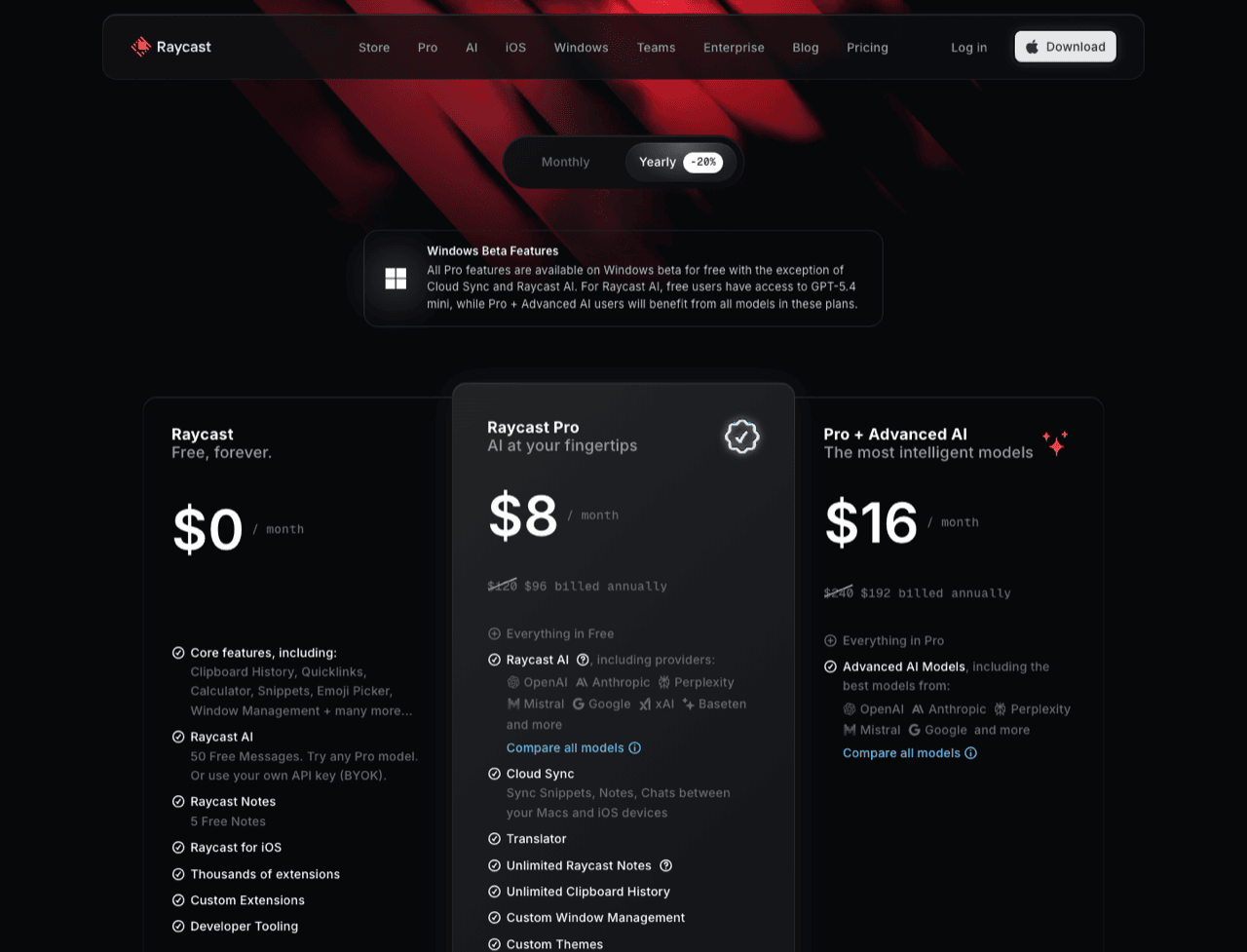
Three months, on the free plan. The retention options are 1 Day, 1 Week, 1 Month and 3 Months. Three months is the ceiling. Raycast Pro adds 6 Months, 1 Year and Unlimited for $10 per month, or $8 per month billed annually. The manual tags the page "Tier: More with Pro".
The part that bites Pro subscribers: longer retention is not switched on for you. Raycast's manual says so plainly. Pay for a year, never open the setting, and your history still expires at three months. Go and check yours. The demand is documented too: a GitHub issue asking for non-expiring history sits in Raycast's own repositories. Klipto's shape here is different rather than better. History does not expire, it stays local, the free tier is permanent, and the price is paid once.
It does not sync, on any plan. Clipboard history is excluded from Raycast's sync deliberately, for security, even on Pro, even while Pro syncs your other settings. This is the most-repeated error about the product. tech-insider.org tells readers Pro extends history to unlimited duration with cloud sync. The first half is right. The second half is invented. Raycast Pro has no cross-Mac clipboard sync, and neither does Klipto. Both chose that, so read the row as a tie.
"Paste as…" preserves formats and leaves the text alone. Raycast keeps every flavour of what you copied and lets you pick which comes out: rich text, plain text, RTF, HTML. Format fidelity, done well.
Changing the text is a different job. Copy Hello World and Raycast will not hand you hello-world. Minified JSON pastes minified. A JWT pastes as the opaque string it is. #FF5733 stays #FF5733 rather than becoming rgb(255, 87, 51). Em dashes and curly quotes in a generated draft arrive as they were. Send to AI Chat is the only route to altered text, and it is cloud-based and metered: 50 AI messages on every plan, with an Advanced AI add-on at $8 per month.
Klipto sits next to a launcher because that work happens on the paste itself, offline and unmetered. It detects 22 content types and offers only the transforms that fit: eleven case styles, a cleanup stack, Anti-LLM cleanup, ten colour formats, JSON, Base64 and JWT, masking, a token counter.
No paste queue. Nothing in Raycast collects five items so you can press paste five times and place them in order, and simultaneous copies collapse into one entry. Alfred's merge appends clips into one blob, a different problem. Pastebot and Paste ship real queues. This is my strongest honest difference here. Klipto's Stack gathers items as you copy them, then pastes them one at a time in order, with an optional keystroke after each: Tab, Enter, an arrow, a comma or Esc. Five fields, five presses. Items also drag out into Figma or Finder.
It is a launcher list, and that is scope rather than bloat. Raycast is a native Swift and AppKit app, fast and well built. The listicles calling it Electron are wrong, and Raycast's engineering write-up explains they use system WebKit to avoid bundling Chromium. The shape is what differs. A launcher's clipboard command is a list you search, act on and dismiss. No panel stays open beside your work, no per-item transform bar. Klipto is a menu-bar app in a 5 MB download on macOS 14+, and hold-to-paste holds the panel open while ⌥⌘V is down.
Side by side
| Raycast Clipboard History | Klipto | |
|---|---|---|
| What it is | one command inside a full launcher | dedicated clipboard layer, menu-bar only |
| Price | free; longer retention needs Pro ($10/mo, $8/mo annual) | permanent free tier; $19.99 one-time |
| Retention | free: 3 months max. Pro: 6 months / 1 year / unlimited, opt-in | unlimited, local, no subscription |
| Images and files | yes | yes, deduplicated local store |
| OCR inside screenshots | yes, Fast or Accurate | yes |
| Search | search plus ⌘P type filter | search plus type, app and date filters |
| Paste plain text | yes, Paste as… rich / plain / RTF / HTML | yes, plus 20+ content-aware transforms |
| Transform the text itself | no; AI Chat only, cloud and metered | 20+ offline transforms, 22 detected types |
| Paste several in order | no | the Stack, with an after-paste keystroke |
| Drag out to Figma or Finder | no | yes |
| Snippets | yes, Save as Snippet | yes, with folders and Favorites |
| Cross-device sync | no, excluded by design | no, by design |
| Build | native Swift/AppKit, not Electron | native Swift/AppKit, 5 MB download, macOS 14+ |
Two rows go against me. Sync is a draw, and Raycast's free tier hands you three months of searchable history with OCR, which is more than most paid clipboard apps give away.
Running both
Raycast keeps ⌘Space and whatever hotkey you gave Clipboard History. Klipto's defaults sit elsewhere: ⌥⌘V for the popup, ⌥⌘S for the Stack, ⌃⌘C to collect the selection, ⌃⌘V to paste the next item.
Two clipboard managers coexist fine. Both watch the pasteboard, so you get two histories of the same items. The consequence is duplication, and nothing races or blocks. My advice: drop Raycast's retention to 1 Day once Klipto holds your long-term history, so the same passwords are not sitting in two stores.
Skip the second app if
- you re-paste occasionally and three months covers it;
- you copy plain text almost exclusively;
- Save as Snippet already handles the boilerplate you reuse;
- you would rather run one app for everything.
Then keep what you have. Raycast's clipboard is free, private and quick, and installing a second app for a problem you do not have is a poor trade. Still shopping? Read the full field of Mac clipboard managers first.
Klipto earns the install for code, AI drafts, repetitive forms and design handoff. It is no launcher, though: no extensions, no AI chat, no windows, no notes, no sync. One licence covers all your Macs with no device count, activated by an offline signed file that keeps working without a server.