Download Klipto for macOS
Free for 14 days · no card, no account required
On Windows? Klipto is Mac-only for now. Get one email when the Windows version ships.
Card or currency not accepted at checkout? Write to hello@klipto.me.

One email in 3 days, to ask how it went
Klipto collects no analytics, so I will not know whether everything went well for you. Leave your address and I will write in three days. It is not a newsletter. Unsubscribe in one click.
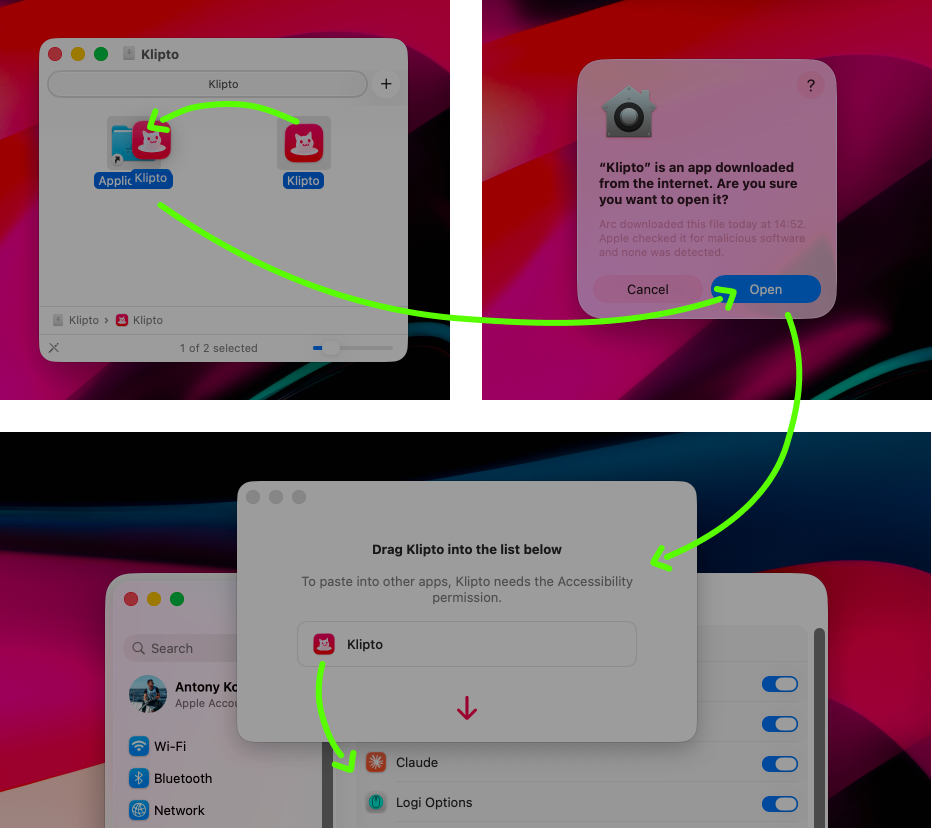
Two drags and one permission. About a minute in total to install.
- Open the .dmg, launch Klipto and click Open. macOS always shows that prompt when you open an app that did not come from the App Store.
- Grant Accessibility access: just drag the Klipto icon into System Settings, so Klipto can use the ⌘V shortcut.
Klipto has no dock icon. It lives in the menu bar, and you call it with ⌥⌘V.
Why Klipto app asks for Accessibility
So Klipto can paste into one app the content you copied in another.
What Klipto never does
- No analytics, no reports, no counters.
- No account, no login, no cloud sync.
- Everything you copy stays on your Mac.
- Klipto uses the network only to check for updates. You can switch that off in Settings.
What's inside
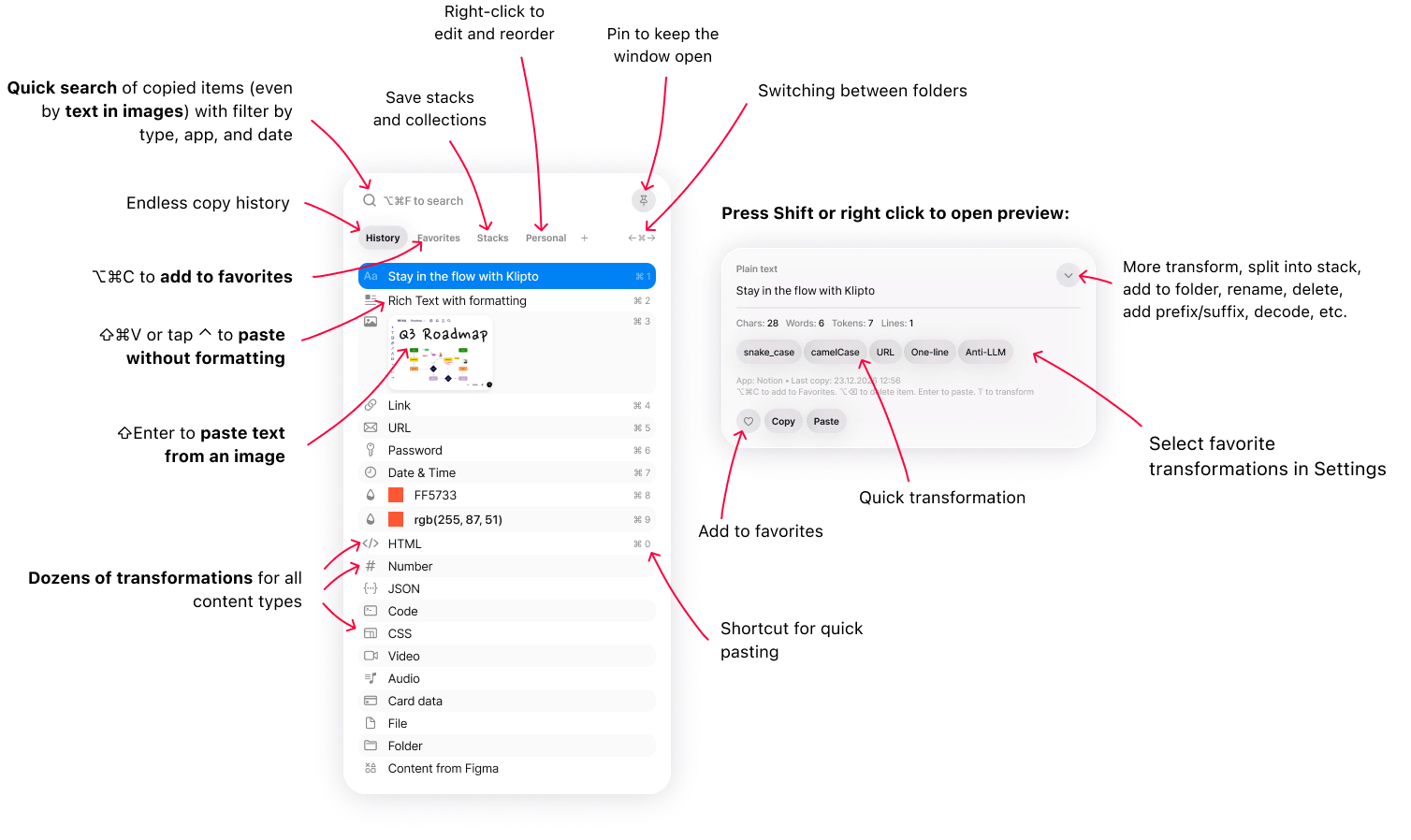
The popup: history and folders, search, and the preview panel where text gets transformed.
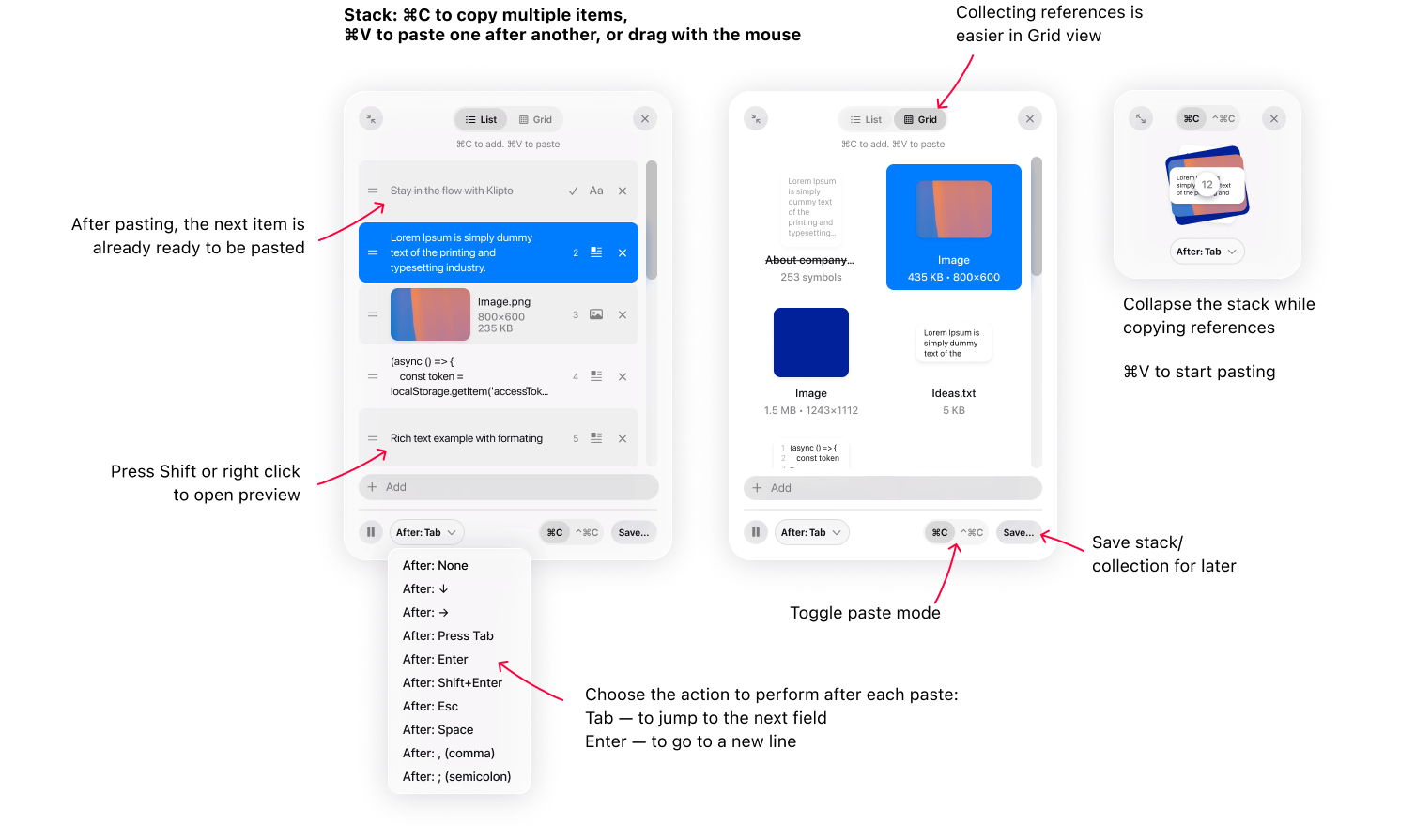
The Stack: collect several things, then paste them one at a time, in order.