What Klipto does
Klipto is a native macOS clipboard manager. It cleans, converts and reshapes what you copy, automatically, on every paste.
Most clipboard managers store what you copy and hand it back unchanged. Klipto does the useful part in between. Copy an AI answer full of em dashes and hidden characters, and it pastes clean. Copy a hex color, and it offers RGB, HSL, SwiftUI or Tailwind. Copy messy JSON, and it pretty-prints. The transform runs the moment you press ⌘V, in any app, offline.
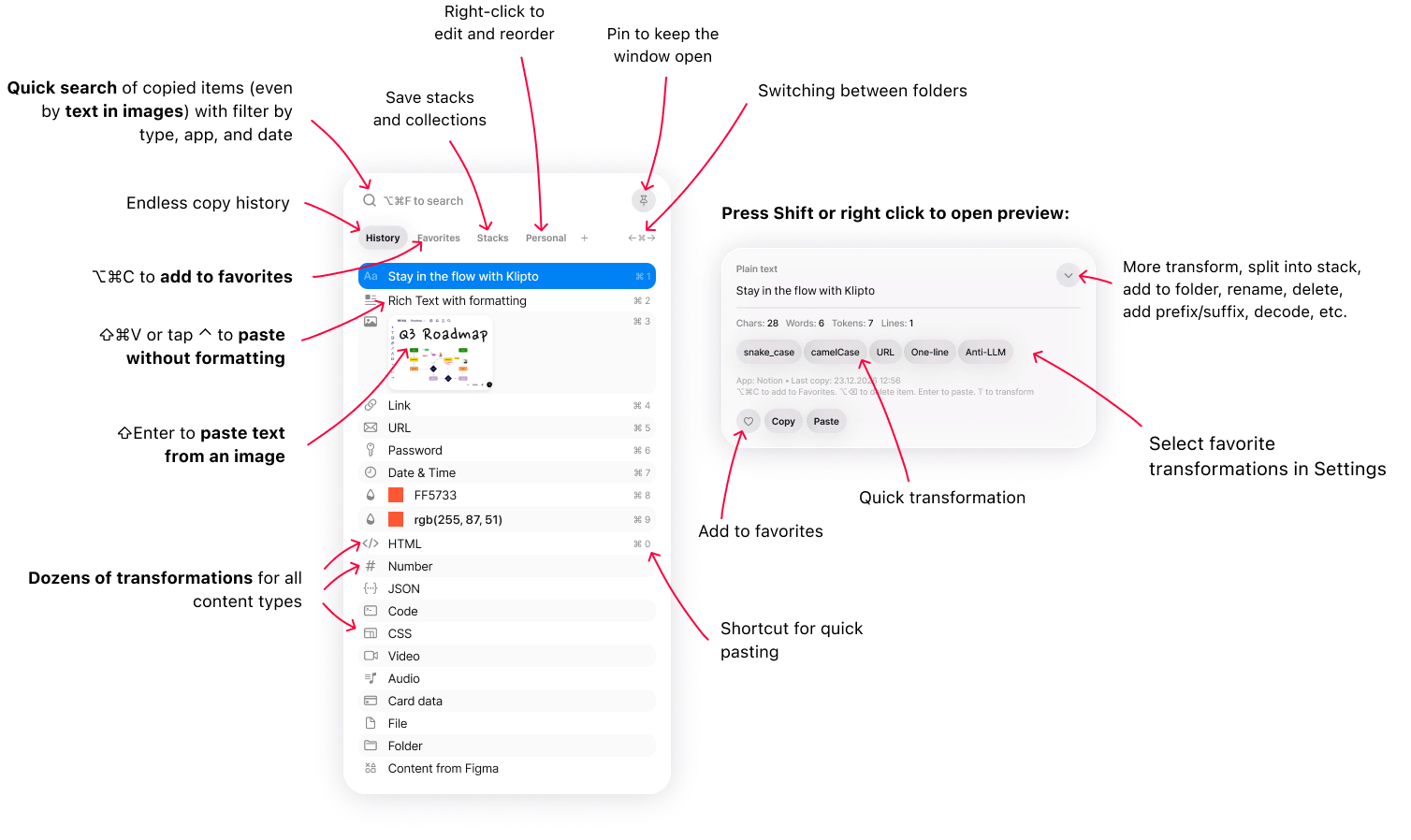
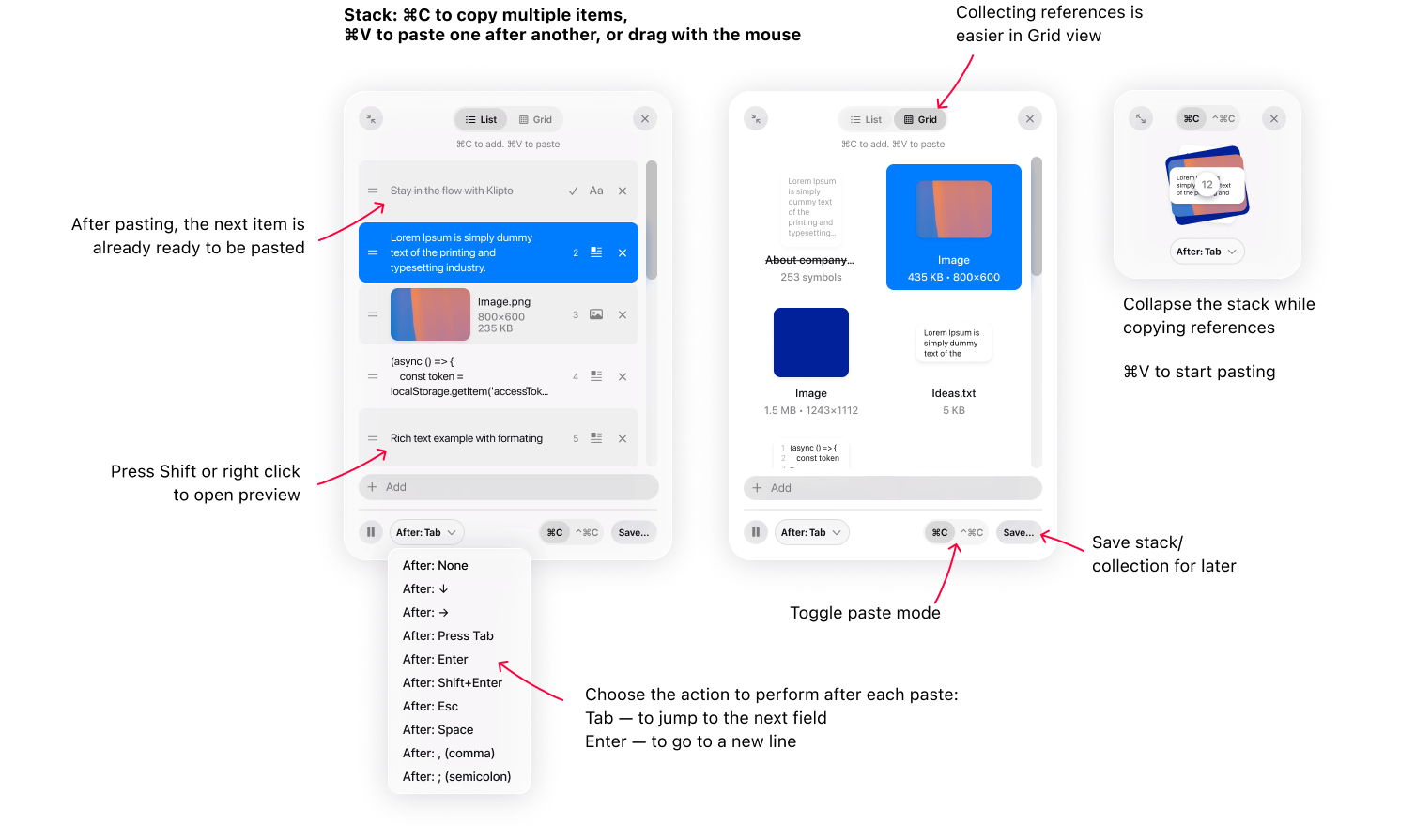
Beyond transforms, Klipto keeps an unlimited local history you can search, including text found inside screenshots through built-in OCR. The Stack collects many items and pastes them in order, one press at a time. Everything stays on your Mac; the app only reaches the network to check for updates.
Core clipboard
Clipboard history
Unlimited, private, searchable history of everything you copy.
Open ›Hold to paste
Hold ⌥⌘V, pick, release — history in one motion.
Open ›Search & OCR
Find anything you copied, even words inside screenshots.
Open ›Paste text from an image
OCR a copied screenshot and paste the text.
Open ›Text Capture
Grab text off the screen with ⇧⌘2, even where it cannot be selected.
Open ›Snippets & folders
Save what you paste often, one shortcut away.
Open ›Stack & Collect
The Stack
Paste many items in order, one press at a time.
Open ›Collect into Figma
Pile up references, drop them into Figma one by one.
Open ›Split copy
Split a list into a paste-one-at-a-time queue.
Open ›Transforms on paste
Anti-LLM
Strip the written-by-AI tells on every paste.
Open ›Paste without formatting
Snap the styling off and paste clean text anywhere.
Open ›Color converter
HEX, RGB, HSL, SwiftUI, Tailwind — one tap on paste.
Open ›JSON & code transforms
Format JSON, decode JWT/Base64, clean up code.
Open ›Text & case transforms
Change case, fix quotes, encode, count tokens.
Open ›Content-type detection
An adaptive paste bar that fits what you copied.
Open ›Transform chips
Pick which transforms appear when you paste, set their order, build your own.
Open ›