
Where the cleanup runs
A round trip means copy, open a site or a second app, paste, clean, copy again, paste again. That is every web tool on this page, plus Purifai and RewriteBar. On-paste means the text arrives clean in the app you were already typing in. Only Pure Paste, ClearPaste and Klipto work that way.
This axis decides whether you still use the tool in a month. A web cleaner is free and instant the first time. By Thursday you have pasted three ChatGPT answers into Slack without opening it.
Rule counts are easy to compare and slightly misleading. The rule I would check first is whether markdown flattens while the link addresses survive, because that is the one that saves a document instead of gutting it.
Klipto runs the pass two ways: one tap in the preview panel when you want to look first, or automatically on every ⌘V when you would rather forget the feature exists.
What I check before paying
What it actually removes: em and en dashes, curly quotes and apostrophes, the ellipsis glyph, markdown (and whether link addresses survive the flattening). Then list markers, inline (a)/(b) enumerations, emoji and arrows, invisible and zero-width characters, NFKC and full-width normalization, colons and semicolons, blank-line collapse. Most tools cover five to ten of those, and marketing rarely says which ones are missing.
Whether it runs offline: client-side JavaScript in a browser tab is private in practice, and several tools state plainly that nothing is uploaded. A native app with no network access is a stronger guarantee for NDA work.
Whether your words survive: some products here clean and rewrite under one label, and a rewrite can shift your meaning.
What it claims about detectors: a cleaner promising "undetectable" output sells something character-level editing cannot produce. Detectors read perplexity per token, burstiness across sentences and rhythm variance. Leap AI sets the honesty standard here, verbatim:
It will not pass an AI detector. Detectors read the statistics of the text — perplexity per token, burstiness across sentences, vocabulary density, rhythm variance. Those are structural properties that cosmetic character swaps do not change.
Credit where it is due: that paragraph sits on the Leap AI text formatter page, and no other tool here states it as clearly.
Price and lock-in: Purifai is Apple Silicon only, RewriteBar's free web tool has hourly limits, and Linguix does not publish clear terms at all.
AI text cleaner comparison
| Tool | Price | Platform | What it removes | On the paste? | Offline | Over-claims? |
|---|---|---|---|---|---|---|
| Klipto (Anti-LLM) | Free tier, $19.99 one-time Pro | macOS 14+ | 15-rule pass: dashes, curly quotes, ellipsis, markdown with link addresses kept, list markers, inline (a)/(b), colons, semicolons, emoji, arrows, NFKC, literal \n, blank lines | Yes, one tap or every ⌘V | Yes | No |
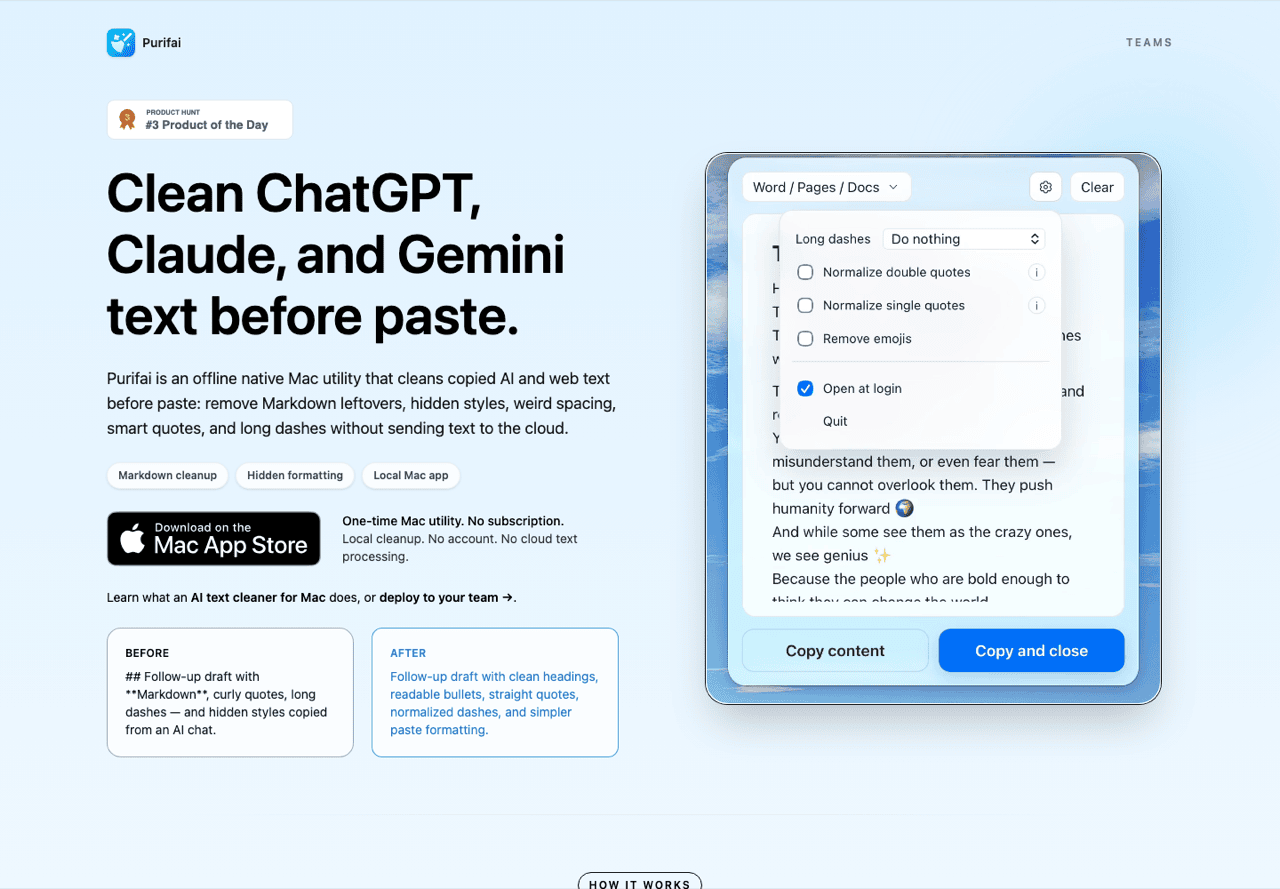
| Purifai | $9.99 one-time | macOS 12+, Apple Silicon only | Markdown artifacts, stray styles and fonts, line breaks and spacing, smart quotes, long dashes, emoji; destination-aware | No, three-step round trip | Yes | No |
| Pure Paste | $4 (see note) | macOS 26+ on the current US listing | Plain-text conversion, invisible characters, quote and list and newline normalization, URL tracking parameters, footnote refs | Yes, automatic by default | Yes, sandboxed, no network | No |
| ClearPaste | Free, open source | macOS 12+ | Invisible Unicode only, with a removed-count badge | Yes, automatic | Yes | No |
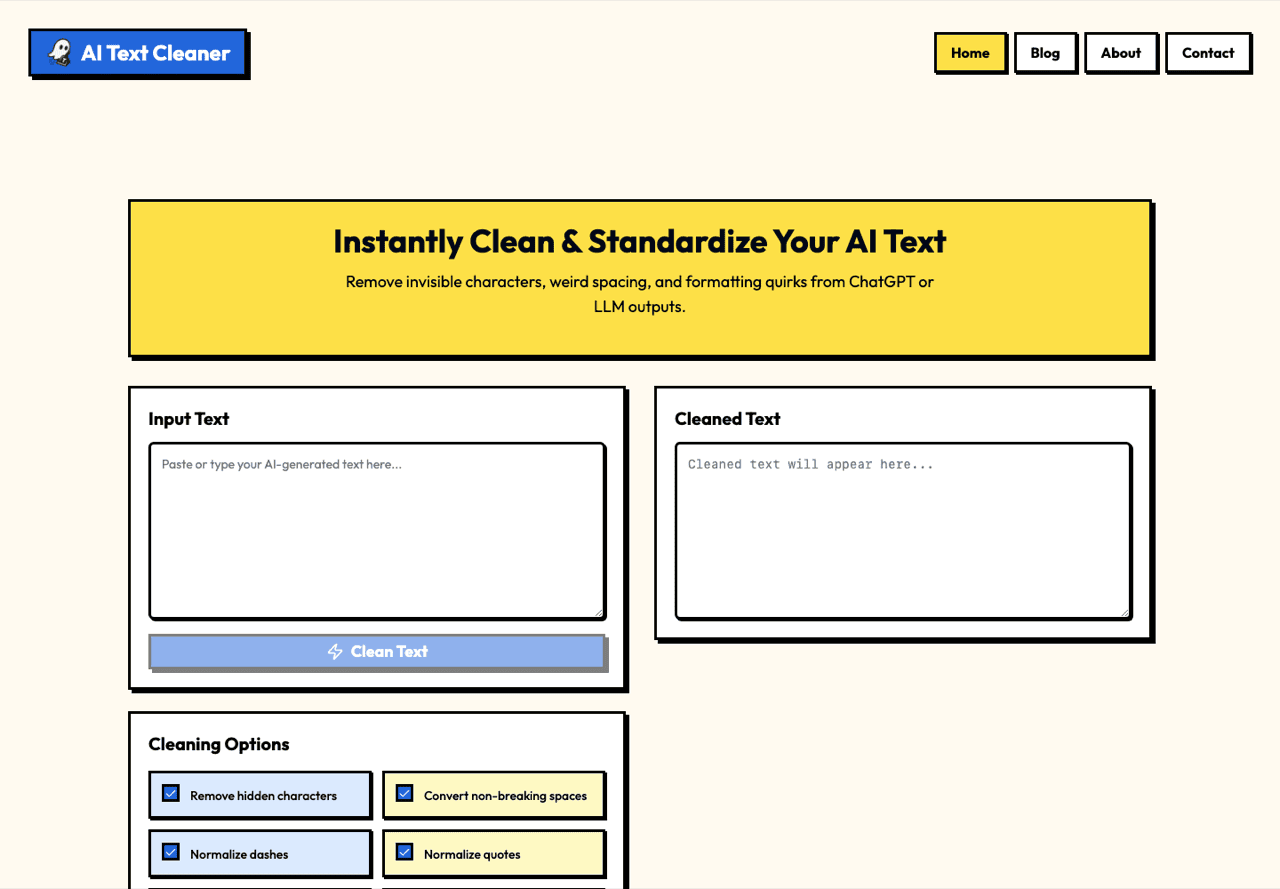
| aitextclean.com | Free | Web, client-side | 10 toggles plus a diff: hidden chars, nbsp, dashes, quotes, ellipsis, trailing space, asterisks, # headings, lookalikes, NFKC | No | In-browser only | No |
| Leap AI text formatter | Free | Web, client-side | 5 rules: dashes, quotes, bullet lists collapsed to prose, bold and italic, whitespace | No | In-browser only | No, best disclaimer here |
| Convert Case em dash remover | Free, ad-supported | Web, extensions, iOS and Android | Em dash with a replacement dropdown, en dash, smart quotes, ellipsis, nbsp, zero-width | No | In-browser | No |
| GPTCleanup | Free | Web and PWA | Invisible Unicode, nbsp, ChatGPT HTML residue (data-start/data-end), plus a "watermark detector" | No | In-browser | Soft, see review |
| RewriteBar | Free tool, hourly limits; app paid | Web and macOS 13+ | Long dashes, smart quotes, emoji | No, select then run a command | App: no | No on the cleaner |
| Linguix AI Text Cleaner | Account and pricing unclear | Web and extension | Invisible chars, nbsp, dashes, curly quotes, ellipsis, trailing space, asterisks, # headings | No | No | No |
| CleanPaste (cleanpaste.org) | Free | Web | "AI watermarks" and invisible characters, plus rewriting | No | Unclear | Yes |
| CleanGPT | Free | Web | Hidden chars, smart quotes, em dashes to ASCII | No | In-browser | Yes |
Pure Paste price, unresolved: the Mac App Store listing showed $4.00 and a macOS 26.0+ requirement on 28 July 2026. The developer's own sindresorhus.com still describes the app as free. I am not picking a side, so check the listing in your region.
Four confusable names: CleanPaste (cleanpaste.org), Pure Paste, ClearPaste and PasteClear are four different products. So are aitextclean.com and aitextclean.org. Read the domain before you paste client text into anything.
The tools, one by one
Purifai: the best manual Mac cleaner, honestly marketed
A one-time $9.99 native app that cleans the clipboard on demand. It is destination-aware, so structure that Docs, Word or Slack understands survives the pass. Version 1.4.2 needs macOS 12 or newer and runs on Apple Silicon only. Offline, paid once, well documented, and no detector claims anywhere on the site.
The cost: a three-step round trip every single time. No Intel support, no clipboard history, no automatic pass on ⌘V. Right for someone who cleans text a few times a week.
Purifai alternatives: Pure Paste for automatic and cheaper, ClearPaste if free matters more, Klipto for the full tell list on the paste. The AlternativeTo page for Purifai is stale: it lists PureText (Windows-only) and PasteUnformatted (discontinued).
Pure Paste: the best automatic plain-paste
Sindre Sorhus's menu-bar utility strips formatting from every paste by default. It also removes invisible characters, normalizes quotes, list markers and newlines, drops footnote references, and strips over 200 tracking parameters from URLs. Sandboxed with no network access, plus per-app exclusions, Shortcuts support and custom JavaScript rules. Cheap, genuinely private, and the URL stripping is a bonus nobody else here has.
Where it stops: the framing is plain-paste rather than AI tells. Markdown does not flatten while keeping link addresses, and emoji and inline enumerations stay. No clipboard history either.
ClearPaste: the best free and open-source option
A free, open-source clipboard manager for macOS 12+. It strips invisible Unicode automatically and badges the count it removed, so you see it working. Keyboard-first, with ⇧⌘V and ⌘1-9 recall.
Where it stops: invisible characters only. Em dashes, curly quotes and markdown all survive, so it falls short of a full AI-tell pass. Take it if zero-width junk bothers you and em dashes do not.
aitextclean.com: the best free web tool
Ten independent toggles and a side-by-side diff, so you see exactly what changed. The cleanup runs client-side, and the page states that nothing is uploaded, logged or stored. Widest rule coverage of any free web tool here, a unique diff view, and no detector claims.
Where it stops: a browser round trip every time, nothing system-wide, and the name collides with aitextclean.org. Best for one document, cleaned carefully.
Leap AI text formatter: the most honest page on this subject
Five rules. Dashes to hyphens, smart quotes to straight, bullet lists of four or more items collapsed into prose, bold and italic stripped, whitespace normalized. The bullet-collapse rule is unusual and useful, and no other tool here has a structural rule.
Where it stops: five rules is thin, invisible characters go unhandled, and collapsing bullets edits your structure as well as your characters. The page routes you toward Leap's own humanizer. Good for turning a bullet-heavy AI answer into readable prose.
Convert Case em dash remover: the best one-off dash fix
Part of a large text-tools site, with a dropdown so an em dash becomes a hyphen, a comma, a space, or nothing. En dashes, smart quotes, the ellipsis, nbsp and zero-width characters go too. Browser extensions and mobile apps exist, with 30-plus sibling tools beside it.
Where it stops: dash-centric coverage, ads on the page, no privacy statement, no diff. Fine for a quick fix on text you do not consider confidential.
GPTCleanup: the invisible-character specialist
Free, works as a PWA, and it catches ChatGPT's HTML residue. The data-start and data-end attributes survive a copy out of the chat window, and most cleaners miss them. Real value, and the site does ship a disclaimer.
The over-claim: the "watermark remover and detector" framing oversells what invisible characters are. The site says removing technical flags such as hidden Unicode and "watermark tokens" eliminates the strongest signals against Turnitin, then disclaims it. Half credit. Best for text copied straight out of the ChatGPT web UI.
RewriteBar: a cleaner bundled with a rewriter
A native Mac app (macOS 13+) with 30-plus AI actions over selected text, plus a free web cleaner for dashes, smart quotes and emoji. One command over a selection, no clipboard juggling, and the cleaner makes no detector claims.
Where it stops: the free tool is hourly-limited and the cleanup covers three families of characters. The product is a rewriter, a different risk profile if you want your words untouched. Suits you if you already want AI rewriting.
Linguix AI Text Cleaner: a solid rule list, opaque terms
Eight sensible rules: invisible characters, nbsp, dashes, curly quotes, ellipsis, trailing space, asterisks, # headings. They sit inside a branded SaaS with a browser extension, and the page makes no detector claims.
Where it stops: pricing and account terms are unclear on the tool page, it is web-only, and it carries SaaS lock-in that a $4 utility does not. Mainly for Linguix users.
CleanPaste: over-promises, use with eyes open
The cleanpaste.org page sells itself as the tool to "remove watermarks and make your content undetectable". It claims a "99%+ success rate" and cites 480,000+ writers. Free, it rewrites text as well as cleaning it, and the character-level part works.
The over-claim: "undetectable" is an outcome character editing does not produce, and the 99% figure comes with no published method. The rewriting can change your meaning. aitextclean.com covers the same ground without the claims.
CleanGPT: detector bypass in the product name
The site presents itself as a "Free AI Text Cleaner & AI Detector Bypass Tool". Underneath, it converts hidden characters, smart quotes and em dashes to ASCII, and that part is fine work.
The over-claim: the headline promise sits beyond what the mechanism can reach. Believe it and you have miscalibrated what your text will do next.
Klipto: the tells gone on every paste
Klipto is a native macOS clipboard manager, and Anti-LLM is one of its 20-plus transforms. It is the only cleanup here that is both complete on AI tells and lands on the paste itself. Fifteen rules in one pass, one tap in the preview or automatic on every ⌘V, with your words intact, in Slack, Notion, Word, Docs, email or your editor. Local-first and offline: the clipboard never leaves the Mac, and the app touches the network only for updates. Detection across 22 content types means the right transform is waiting when the preview opens, and searchable history plus the Stack sit in the same window. Pro is $19.99 one-time, after a free tier that never expires, a 14-day full trial and a 30-day money-back guarantee.
Cons, stated plainly: macOS 14+ only, so no Windows and no Linux. No browser version, which is what the free web tool is for. Pro is paid and the free tier is deliberately narrow. It is also a whole clipboard manager, more app than you need if you delete an em dash twice a year.
On detectors: Anti-LLM removes visible typography and structure tells. It does not rewrite your sentences and it does not make text pass statistical AI detectors. I make no claim that it does.
Details: clean it automatically on every paste, or try the same rules free in your browser.
Cleaning, humanizing, and why "undetectable" is a warning sign
Cleaners change characters. Humanizers rewrite sentences. Character swaps leave the statistics untouched, so a cleaner selling detector evasion charges for an outcome its own mechanism cannot reach.
The "AI watermark" story has the same shape. Those invisible characters are an artifact of tokenization and reinforcement learning, and no deliberate mark planted by OpenAI. A watermark that find-and-replace erases in seconds would be pointless. Removing them is text hygiene: your prose stops carrying junk into other people's documents and code.
Purifai, Pure Paste, ClearPaste, Convert Case, aitextclean.com, Linguix and RewriteBar's cleaner make no detector claims at all. CleanGPT, CleanPaste and, more softly, GPTCleanup do. That single line sorts the field faster than any feature matrix.
If you want text rewritten so its statistics change, that is a humanizer. Different product, different risks, and I do not sell one.